
The Motion Prompt Library: how to use it, and the prompts we loved
The site from the reel: hundreds of motion videos Claude made, and next to each one the exact prompt that created it. Here you'll find how to use it, and the prompts we liked most, ready to copy.
The link
prompt-motion.com (opens in a new tab)
This is a library of motion videos Claude made, almost all of them with Opus 5.5, and next to each video is the prompt or skill that created it. The library is collected and run by a creator called @p4nthera_ (opens in a new tab), and the videos and prompts belong to their creators, who are named next to each video. It's not an Anthropic site, and we're not connected to it. I'm just walking you through it here.
How to use the library
Five steps, from the gallery to a video of your own.
-
Step 1: Pick a video you like
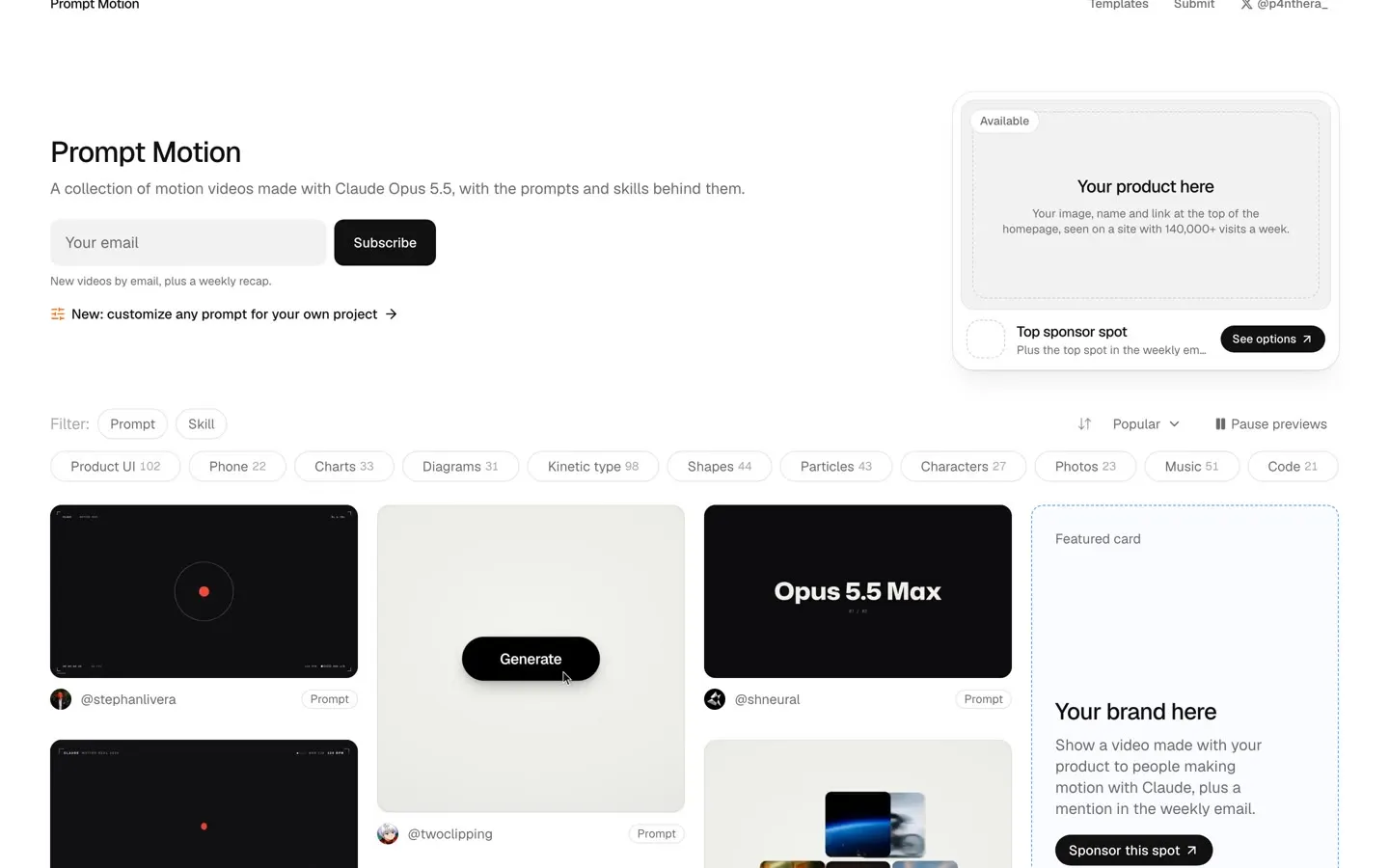
The home page has a gallery of videos that play on their own. You can filter by type, prompt or skill, and by topic, like kinetic type, product UI, charts, particles and characters.
-
Step 2: Open it and read the prompt
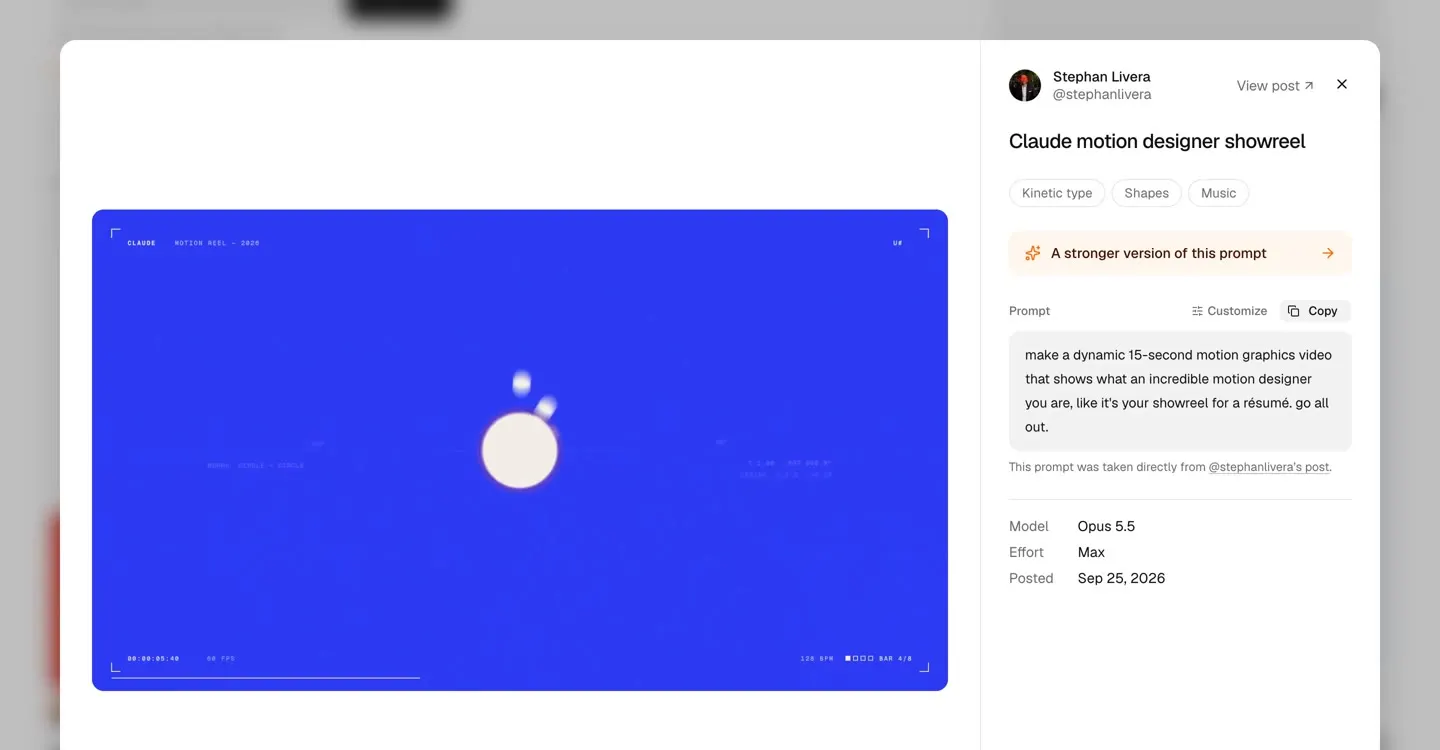
Clicking a video opens it large, and next to it you get the full prompt, the model it was made with, and sometimes also the effort level (Effort) and whether it came out on the first try (One-shot).
It's worth reading the prompt and noticing what they asked for: length, style, format, and what exactly the video is supposed to show.
-
Step 3: Copy it
Click Copy, next to the prompt. The ten prompts we picked below have a copy button too.
-
Step 4: Give it to Claude Code
Open a new session in Claude Code, in an empty folder, choose Opus 5.5 and the highest effort level you have, and paste.
Claude builds the video as code, for example as an animation in the browser or with a library like Remotion or three.js. If you need a video file, ask for it explicitly:
render it to an MP4 file.Before you approve an action, it's worth reading what Claude is asking to do. A complex video can take a while and use up a fair share of your usage limit.
-
Step 5: Make it about your topic
The prompt is a starting point. Swap the topic, the length, the colors and the format, for example
9:16for Reels. Next to every prompt on the site there's also a Customize button, which turns it into a form you fill in and gives you back an adapted version to copy.The videos and prompts belong to their creators. If you want to use the result commercially, check the terms with the creator.
The ten prompts we loved
We picked the videos that are most useful for social media: product promos, personal intros, text in motion and vertical videos. For each one: who made it, what came out, the prompt to copy, and how to adapt it to you.
-
The most impressive in the library: a 3D flight over a landing page
@twoclipping · Video and full prompt
A video of about 15 seconds in which the camera flies in one continuous move over a landing page: down along it, up above it, and diving back to the headline, as the cards and images lift off the page. According to the site, it was made with Opus 5.5, using WebGL2 and Playwright.
This one is a template. Claude starts by asking you for the link to your landing page, your brand name and logo, and the closing line, and then builds the same video on your page. The prompt is long and detailed, so it's on the video's page, with a Copy button.
-
A vertical video for social, with sound
@davidmarcus · Video and full prompt
A short vertical video that promotes a product, in exactly the Reels and TikTok format: one sentence at a time, clean typography and a fast pace. According to the site, it came out on the first try.
make a punchy and modern short video for social that promotes @lightspark capabilities. Needs to be production grade with soundReplace
@lightsparkwith the name of your business, and add one sentence on what it does. The wordsfor socialandwith soundare what tell Claude this is a video for social media. -
A personal intro video
@blushpetal795 · Video and full prompt
A 15-second video in which Claude introduces you: your name, what you do, and numbers that back it up. The creator wrote it as a pitch to recruiters, but the same structure works as an intro post or as a video for the top of your profile.
Make a dynamic 15-second motion graphics video of me introducing myself to a recruiter. Use all the motion design skills you have, like it's your showreel for a resume. Go all out.Claude needs to know who you are. Attach your CV, your LinkedIn page or a few lines about yourself to the prompt, and replace
to a recruiterwith your audience. -
A product ad, in one sentence
@tstfully · Video and full prompt
The whole prompt is the type of video, the length and what the product does. That's enough to get a short, focused ad.
make a 15-second motion graphics product ad: paste a YouTube video, get every word.This is the simplest formula in the library:
make a 15-second motion graphics product ad:followed by what your product does, in half a sentence. -
A product explainer
@sudo_kiran · Video and full prompt
A 30-second video that explains what the product does, like a launch video. The creator gave Claude the link to the product, and Claude wrote the messages itself.
make a dynamic 30-seconds motion graphic video about the distilbook like a product explainer the video has to be very incredible (product url)Replace
distilbookwith your product's name, and put its link in place of(product url). That way Claude reads the site and takes the messages from there. -
The same product, with a script
@sudo_kiran · Video and full prompt
Same creator and same product, but this time he also asked for a good script, colors and music. What came out is a video with a story: from a problem ("nobody reads the PDF") to a solution.
create best motion graphics explainer of the (your product) with very good script and good design colors and good music make sure the video should be incredible and people should feels like watch it many times.. it has to be in 30 seconds good and very intresting, it has to be best of the best of the best of the best video (product link)The two prompts from the same creator show the difference: when you explicitly ask for a
very good script, the video gets a story, not just animation. -
Text in motion, from one line
@zheke · Video and full prompt
A square kinetic typography video: huge words that switch on the beat, each in a different style. It's the kind of video that works well in the feed.
Hello Opus 5.5 show me what an incredible motion designer you are.Want it on your own message? Add:
use kinetic typography for these words:followed by 6 to 8 short words from your message. -
A vertical showreel
@ndhabarde11 · Video and full prompt
The most common prompt in the library, with a few extra words:
in portrait mode. That's all it takes to get a vertical video for social instead of a horizontal one.make a dynamic 15-second motion graphics video in portrait mode that shows what an incredible motion designer you are, like it's your showreel for a résumé. go all out.You can add
in portrait modeto any other prompt on this page. -
A video from your portfolio
@heyiammallik · Video and full prompt
Claude analyzes your portfolio and builds a video of about half a minute from it. According to the site, this one also came out on the first try.
you are a pro motion designer. analyze my portfolio and make a ~30 second video from it. check what are the recent trending techniques used for motion and sound design. question your strategy and plan, if it doesn't feel like done by a pro designer, start over. every frame matters from the first frame to the final frame. go crazyNotice the request to check its own work:
if it doesn't feel like done by a pro designer, start over. That improves the result in other prompts too. -
A launch template you can edit
@aschapmann · Video and full prompt
A detailed prompt for a 30-second launch video, built entirely in code with Remotion. Claude reads your site and your code, writes a story in four or five scenes, renders it, and checks the frames itself before it shows you.
Act as a senior motion designer and build a 30-second launch video for [product] in Remotion, entirely in code so I can edit and re-render it: first read my landing page and codebase to pull the real story, copy, colors, font and logo file (trace the logo to SVG so it stays sharp and can be animated), then write the video as one story (why the market matters, why it's painful today, how [product] fixes it, what you get) in 4 to 5 scenes with one short title each, animate everything like a premium product film (kinetic typography word by word, spring easing, smooth camera pushes and pans, depth and glow, elements that build in on the beat instead of just appearing), keep each scene on screen long enough to read, add one soft sound effect for every element that appears and silence otherwise, and end on a memorable animated logo reveal with the tagline and URL, then render it, check the frames yourself and fix anything that overlaps, clips or feels rushed before showing me the result.The advantage of Remotion: the video stays code, so you can change a line of text or a color and render it again, without starting over.
What you can learn from these prompts
Type, length and format. Almost every good prompt says what kind of video it is (an ad, an explainer, an intro), how long it is, and what format it is in. For social, add in portrait mode or 9:16.
Give it the material. A link to the product, a portfolio or a few lines about you. That way Claude writes real messages, not generic ones.
Ask for the ambitious version. Phrases like go all out, production grade or if it doesn't feel like done by a pro designer, start over come up in many of the most impressive prompts.
Sources
- Prompt Motion: the gallery and each video's page (opens in a new tab) Checked on October 18, 2026
- The site's Customize page (opens in a new tab) Checked on October 18, 2026

The academAI newsletter
AI moves fast.Stay a step ahead.
What's new and worth trying in AI, straight to your inbox. No noise, just what helps you work smarter.
- Practical guides Like this one, step by step, with what actually works.
- New skills and tools What just came out, and what's really worth your time.
- First to know The news that matters, before everyone is talking about it.
- Subscriber perks Early access and perks on workshops, courses and products as they come.